A POS system can work perfectly in one store and become a completely different story when your retail business expands.
Suddenly, you're managing hundreds of locations, thousands of products, multiple teams, and layers of reporting, all while trying to keep everything connected to your existing ERP.
What worked for one shop doesn't necessarily work for an entire retail chain. And that's where choosing the right point of sale system for retail becomes much more important.
Choosing a POS for multiple stores isn't about finding the system with the most features or the biggest promises.
It's about finding one that makes running your entire retail operation easier. Your teams should be able to manage products, pricing, inventory, customers, and reporting across all branches without juggling disconnected systems.
It should also keep stores running during peak hours and work seamlessly with your existing ERP. But how do you know a system can actually deliver all that? You test it against the realities of your business, not just what a vendor shows you in a demo.
This guide gives you 10 criteria, a 100-point scoring model, 10 pilot tests and the commitments to get in writing. Use it as your playbook from shortlist to signature. (New to the basics? Start with our guide to what a POS system is.)
Why Point of Sale Systems for Retail Chains Need a Different Test
With one store, most problems can be sorted out with a quick phone call, a spreadsheet, or a manual update. But when you're managing a hundred stores, those same quick fixes become much harder to manage.
A price update might not reach every location, a cashier might have access to information they don't need, reports could arrive days late, or stock could be sitting in Jeddah while Riyadh is running out.
Even a failed ERP sync can leave your finance team dealing with duplicate invoices.
The real challenge isn't how many stores you have. It's keeping all of them connected and working together. When data and processes are scattered across different systems, even simple decisions become harder.
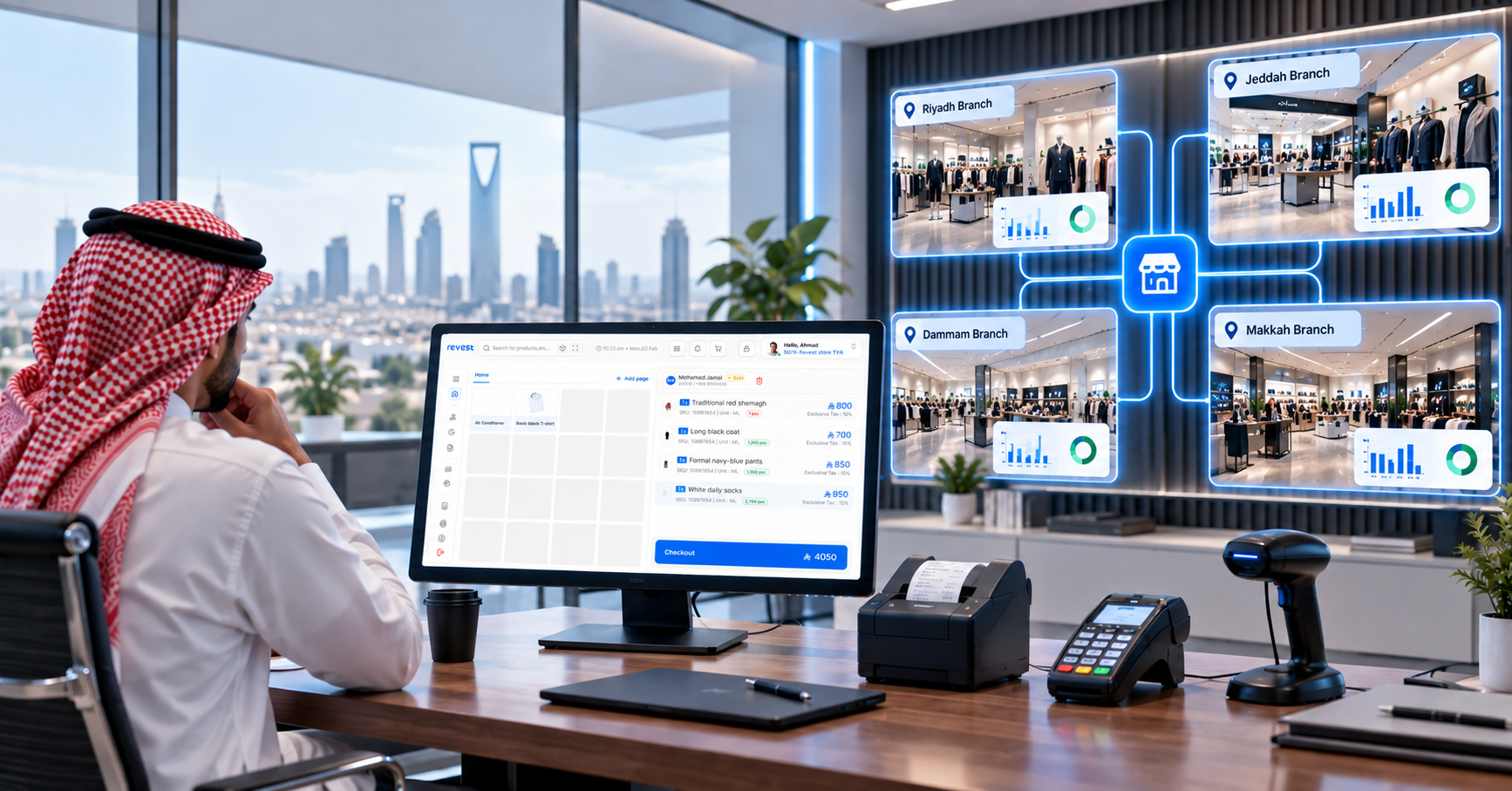
A good multi-store management setup brings everything together, giving you a clear view of the entire business while allowing regional and store managers to stay on top of their day-to-day operations.
Before you book a single demo, ask your team these five questions. They'll quickly show whether a multi-store POS is truly built for a chain or stretched to fit one:
- Data: Do all your stores work from one shared record, or does head office stitch reports together from separate files?
- Policies: Are prices, promotions, taxes and return rules published centrally and applied the same way everywhere?
- Responsibilities: Does every user know exactly what they can do, and which stores they can see?
- Continuity: Do your tills keep selling when the internet, a device or an integration goes down?
- Expansion: Can you open a new store through repeatable steps, in a timeframe you can plan around?
Map How Your Chain Runs Before the First Demo
Before you start booking demos, take some time to look at how your business actually runs. How many legal entities do you have? How are your stores divided across regions? Where is your stock held? Do you sell online as well as in-store? Do you work with franchises? These details matter because no two retail chains operate in exactly the same way.
You also need to be clear about which system handles what. For example, your ERP might remain responsible for financial records, while your POS handles in-store sales, customer interactions and daily stock movements.
The same goes for how your systems share information. Take products, prices, customers, sales, returns, payments and inventory. Where does each piece of information come from? Where does it go? How often is it updated? And who steps in when something doesn't match?
It might take a few days to sit down with your teams and work through these questions, but it's time well spent. You'll go into vendor meetings with a much clearer idea of what your business needs, rather than trying to figure it out while someone walks you through a product demo.
Start by agreeing on these five things:
- Which data is created at head office, and which can stores create themselves?
- Do you have several legal entities that need their own invoice sequences and tax certificates?
- Do you run owned stores and franchises that share policies but need different limits?
- Should price lists and promotions apply across the network, by region or by store?
- How much delay is acceptable between your POS, your ERP and your online store?
10 Things to Look for When Choosing a POS System for Your Retail Chain
Don't just take a vendor's word for it. If they say their system can handle something, ask them to show you how it works. Better yet, test it using your own business data. We’ve broken down the 10 things worth looking at, grouped into four areas to help your operations, IT and finance teams assess what really matters.
Head-Office Control Without Slowing Stores Down
1. A structure that mirrors your real business. Ask the vendor to model your actual hierarchy of companies, regions, stores, warehouses and devices. Then check that reports and permissions work at every level of it, not just at the top.
2. Central management with controlled exceptions. Head office should publish products, prices and promotions once and send them to the right stores. Test how a single price change reaches a selected group of stores, and how you give one store a temporary exception without breaking the rule for the rest.
3. Permissions that cover actions and data. Strong control separates what a user can do from which stores they can see. A regional manager should see their region only, and every sensitive change should be logged with who made it and when.
Fast Checkout, Even When the Network Isn't
4. Speed at peak load. Measure response times with realistic numbers of devices and transactions running at the same time, including search, discounts, loyalty, payment and printing. Retail POS software that's quick with one cashier can feel very different with forty.
5. Offline mode with clear limits. Ask for a written list of what keeps working without a connection, how much data each device can hold, and how conflicts are resolved when stores come back online. Then unplug the router during your pilot and check for duplicates.
Stock, Integrations and Numbers Finance Can Trust
6. Network-wide stock with traceable transfers. Store teams should see availability across the network, and a transfer should move through request, shipping and receiving with every step tracked. Our guide to intelligent inventory management goes deeper on this.
7. Integrations that are owned and monitored. Every connection, from your ERP POS link to your online store and payment providers, needs monitoring, alerts, automatic retries and protection against duplicates. Test it by switching an integration off on purpose and watching what happens.
8. Reports you can reconcile. Pick a sample of report figures and trace them back to the original invoices and stock movements. Then confirm you can export the data in usable formats. Centralized data only pays off when everyone trusts where it came from.
Compliance, New Stores and a Cost You Can Plan
9. Security and local compliance. Review access controls, backups and restore procedures, and confirm the solution meets ZATCA's e-invoicing requirements for every legal entity you run.
10. New stores in a known timeframe, at a known cost. Time how long it takes to set up a store from a template, from scratch to first sale. Then compare total cost of ownership over three to five years, with the support agreement and escalation path. If you're also growing through franchising, our expansion roadmap for store networks and franchises is a useful companion read.
Score Every Vendor the Same Way, Then Prove It in a Pilot
Before meeting with vendors, agree on what matters most to your business and how you'll evaluate each system. It's easy to be impressed by a polished demo, but that doesn't always mean the system will work well in your stores.
Using the same scorecard for every vendor makes the comparison fairer and helps you focus on what each system can actually deliver. Here's an example of how you could divide the scores when comparing POS systems for retail chains. You can adjust the weight of each category based on your business needs.
- Central management and organizational structure: 15 points
- Peak-time performance and cashier experience: 15 points
- Continuity and offline operation: 15 points
- Integrations and data-flow quality: 15 points
- Stock, transfers and channels: 10 points
- Permissions, security and audit: 10 points
- Reports and data export: 8 points
- New store setup and scalability: 7 points
- Cost of ownership and support: 5 points
Rate each criterion from 1 to 5, multiply by its weight, add everything up and divide by 5. That gives you a score out of 100. A vendor rated 4 on central management, for example, earns 4 × 15 ÷ 5 = 12 of the 15 available points. One rule keeps the scoring honest: a vendor only gets a 5 when the capability has been proven in the pilot or written into the contract.
10 Pilot Tests That Show How a POS Handles Your Busiest Day
A pilot is where promises meet your real operations. Run these ten tests with your own products, users and devices, and record each result so every vendor is judged on the same evidence:
1. Create a new store with its legal entity, region, warehouse, devices, taxes and payment methods.
2. Publish a product, a price and a promotion to a group of stores, then give one store a temporary exception.
3. Log in as a regional manager, a store manager and a cashier, and confirm what each one can see and do.
4. Run sales on several devices at once, with search, discounts, loyalty, payment and printing.
5. Cut the internet during a live sale, reconnect, then check the sync and the reports.
6. Request a stock transfer, ship it, receive it and reconcile a quantity difference.
7. Process a return or exchange linked to the original invoice, and confirm stock and payments update correctly.
8. Switch off the ERP or e-commerce integration, then check the alerts and resend the queued data.
9. Reconcile sales, payment and stock reports against a sample of invoices and movements.
10. Export products, customers, sales and stock in documented, usable formats.
8 Commitments to Get in Writing From Every Vendor
A vendor might make all the right promises during a demo, but what matters is what they actually commit to. Before signing, make sure the important details are clearly documented in your contract. This checklist covers eight things you should discuss and get in writing.
A pilot that reflects your actual business: Test the system using a realistic number of your products, stores and transactions, not a small set of demo items.
Clear access permissions: Make sure access can be controlled by region and store, so employees only see the information relevant to their work.
Agreed sync times: Ask the vendor to define what "real time" means, how quickly data should sync, and what happens when there are delays.
Reliable offline access: Find out which features still work without an internet connection, how much data can be stored, and what happens when the connection comes back.
Someone responsible for integrations: Agree on who monitors integrations, handles failed syncs, sends alerts and makes sure everything is working as it should.
Reports you can verify: Your team should be able to trace figures in sales and inventory reports back to the original invoices and stock movements.
Pricing that accounts for growth: Understand how costs change as you add more stores, devices, integrations and support requirements. Also ask about the cost of leaving the system if you ever need to switch.
Ownership of your data: Make sure you know who owns your business data, how you can export it, and what happens to it if you end the contract. Include data retention and deletion terms.
How Revest Helps Retail Chains Grow Store by Store
Revest is a unified retail platform powered by agentic AI, tailored for enterprise retailers and trusted by leading retail chains in Saudi Arabia. POS, inventory, orders, fulfillment and reporting run on one platform, with every sale updating stock, finance and customer data in real time across every store. It integrates with the ERPs, payment gateways, accounting software and e-commerce systems retailers already use, so a chain can scale from one store to hundreds without changing systems.Here's how that maps to the criteria above:
1. Built around your company structure: your organization is set up as a hierarchy of companies, legal entities and business units. Each store is mapped to a legal entity and inherits its base currency and tax rules.
2. Central management: products, orders, reports and stores are managed from one central panel, and reports can be filtered by date and store and exported to Excel or PDF.
3. Roles and data access: system roles control which actions each user can take, and data roles control which parts of the organization they can see in the back office, so users only see data and perform actions relevant to their job and location.
4. Selling offline: when the connection drops, cashiers can still create sales invoices, add new customers, issue ZATCA-compliant e-invoices with a locally approved QR code and check local stock. Invoices upload automatically once the connection returns. Stock transfers, administrative approvals and live stock in other stores need a connection, as the connectivity and sync guide explains.
5. Stock across every store: you get a real-time view of stock levels and inventory value across every store, and transfers between stores move through request, approval, shipping and receiving.
6. Integrations with your ERP: Revest offers bi-directional sync with SAP, Microsoft Dynamics and Odoo, and connects to e-commerce storefronts such as Magento, BNPL providers such as Tamara and Tabby, and loyalty networks such as Qitaf.
The proof is in the field. Jazeera Paints runs more than 1,000 points of sale across 13 countries on Revest, opened 40+ new stores in 2024 and 2025, and cut its stocktake from four days to one.
How do I find the best POS for retail chains?
There's no single best POS for retail. The best one for your chain is the one that proves itself on your data. Agree on weighted criteria before the first demo, run the same pilot tests with every vendor, and only give full marks to capabilities you've seen proven or written into the contract. With 79% of retail payments in the Kingdom now electronic, payment integration and peak-hour speed deserve real weight in that model.
Now that we've gone through the details of comparing point of sale systems for retail, which one is right for your chain? Keep it to three steps:
1. Map how your chain runs: entities, regions, stores, data owners and integration flows.
2. Score every vendor on the same weights: and only award full marks for what's proven.
3. Pilot before you sign: run the ten tests with your own data, users and devices.
As the leading retail platform in Saudi Arabia and the GCC, we power more than 1,000 stores for enterprise businesses. Our POS with agentic AI gives head office central control, keeps every till selling offline, and integrates both ways with your ERP.
Book a demo to see Revest in action, mapped to a retail chain like the one you’re running.
FAQ
What should a chain look for in point of sale systems for retail?
Whether a vendor calls it an enterprise POS or a multi-store POS, look for the same things: central control of products, prices and promotions; permissions by role and by store; fast checkout at peak load; offline mode with clear limits; network-wide stock and transfers; monitored ERP integration; reports you can reconcile; and ZATCA compliance for every legal entity. Then check how quickly a new store goes live and what it costs over five years.
How does an ERP POS setup work with SAP or Microsoft Dynamics?
For most chains, the ERP and the POS work side by side. A common ERP POS setup keeps the ERP as the financial master while the POS runs store operations. What matters is two-way sync with monitoring, alerts and retries, so a failed connection never turns into missing or duplicate invoices.
What should keep working when a store loses its connection?
At a minimum, your team should be able to log in, sell, issue compliant invoices and see basic reports. Ask every vendor for a written list of offline operations and their limits, because "works offline" means very different things from one system to the next.